Family planners usually fail within a month. We’ve failed many times ourselves — sometimes there are too many details, sometimes it’s just not a good fit for the family. When you turn planning into a weekly rhythm instead of a daily chore, something clicks.
Whether you’re using a family organizer app, a digital family calendar, or a calendar app for families, the key is consistency. Here’s how to make it stick.
The family planner promise
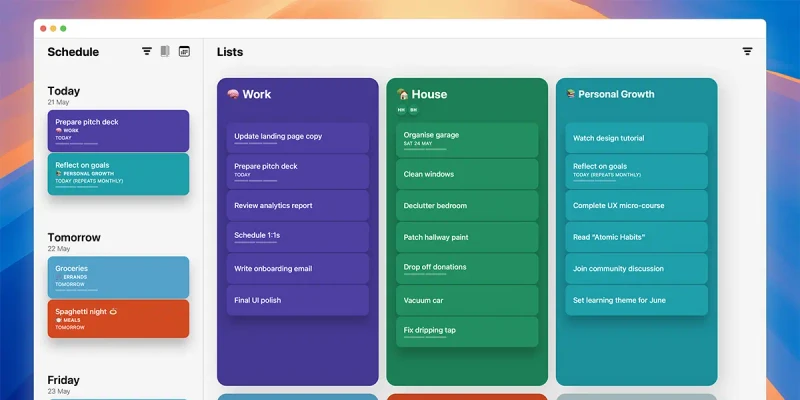
Every household wants fewer surprises and more shared wins. A good family organizer app or digital family calendar gives you that at-a-glance view so you can spot overloads early and give every voice a place on the page. Timepage’s shared calendars work as a calendar app for families, showing everyone’s schedule in one place.
When you frame the planner as a team map inside your family planner app, even younger kids will pick up the habit fast. Keep the language friendly, the layout clean, and the job list short, then mirror anything important on the wall planner for extra visibility.
My daughter loves being part of planning our week — it gives her a sense of control. She loves marking things off the calendar every day and takes real pride in telling her parents exactly what we should be doing that day.
Start with one weekly huddle
Call a short meeting at the same time each week. Keep it light and upbeat so no one dreads the check-in.
- Pick a 15-minute slot when everyone is awake and fed (important!), then pin it with a Timepage reminder. Pair it with a certain meal like Sunday dinner so it becomes part of the routine.
- Use one agenda every time: celebrate wins, scan the week using the Timepage timeline, solve conflicts.
- Lock the next meeting before anyone leaves the table by duplicating the event in Timepage.
Bonus tip: you can also pair the planning session with snacks or a quick walk so the ritual feels special, not like homework. Or pull up Timepage on the TV with AirPlay so everyone can see the colour-coded week.
During the holiday period, we have six different families we need to visit and spend time with — it can be really chaotic! Having everyone know exactly what’s going on, where we need to be, and when helps take so much stress out of things.
Break your planner into clear zones
Most planners fail because they try to over-complicate things. Split the page into easy sections so the eye finds what it needs, and mirror those sections with Timepage calendars.
- Fixed events: school hours, work shifts, sports practice. Give each person a calendar colour in your digital family calendar so you can filter fast.
- Flex time: open blocks for errands, creative play, or rest. Drop placeholders in your family organizer app with a question mark emoji so everyone knows it’s optional.
- House tasks: a rotating list so chores stay fair. Pair with an Actions list if you need checkboxes.
- Focus goals: one thing each person wants to move forward this week. Use Home Screen widgets or mount your iPad somewhere central to keep momentum visible.
Make entries fast and visible
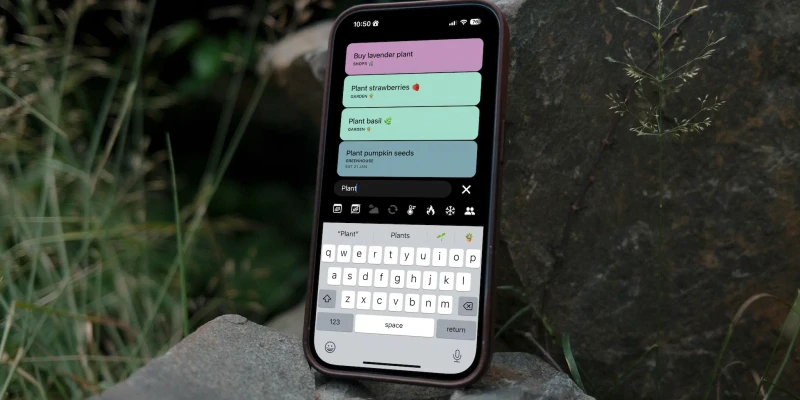
If adding a plan feels like work, the planner will sit empty. Remove friction and make the board easy to update, starting with Timepage.
- Keep the planner in the room people use most, and add your digital family calendar widget to the shared iPad/
- Give each person an offline shortcut for your family organizer app when screens are off limits - sticky notes can work well.
- Set a daily two-minute scan so new events never pile up. A good calendar app for families will show Travel Time alerts to help you see commutes before they clash.
- Add simple icons for travel, meals, or bills so reading takes seconds. Use matching emoji in your family planner app titles so everything lines up.
This is also where your tech stack shines. Timepage syncs events and tasks across devices.
Using a digital planner lets you see and edit the plan anywhere, keeping it always up to date and accurate.
Keep everyone accountable without nagging
Accountability should feel supportive, not strict. Use the planner to build trust and autonomy, with Timepage running point on reminders.
- Let each person mark when a task is done—kids love this. Stickers or quick emojis work, and Timepage RSVP statuses show who’s in.
- Add a mini retro on the weekend: what worked, what drifted, what we try next. Scroll back through Timepage’s Heat Map for checking the history.
- Agree on one consequence and one reward so expectations stay clear. Timepage’s linked Actions tasks make it obvious when something slips.
- Celebrate small wins publicly on the planner, and drop a Timepage note on the event so the memory sticks.
The goal is shared visibility. When everyone can see the plan in Timepage, reminders sound less like nagging and more like teamwork.
We celebrate small wins with a unicorn sticker on the fridge—a prize for completing a task. Over time, we build a beautiful, colorful piece of art that reminds us of all the small wins we’ve achieved together. It reinforces the idea that we’re all in this together and can achieve anything we set our minds to.
Once the bones are in place, customize slowly. Swap sections, test new labels, and invite feedback. Timepage makes it easy to iterate without losing history, so the family planner reflects your actual life, not a template off the shelf.
If you’re interested in more productivity tips, check out this article on turning your goals into habits with Actions.